In-Depth Review of the Lenovo T580 Dock Features
Intro
In today’s fast-paced digital world, having the right tools can make or break your productivity. The Lenovo T580 Dock is one such tool that brings a lot to the table for users of the Lenovo T580 laptop. In this piece, we're going to explore the nuances of this docking station and how it elevates your workflow. Whether you’re a professional hustling through virtual meetings, an avid gamer needing extra flexibility, or a tech aficionado searching for the latest gadgets, there's something in this guide for you.
Product Overview
Brief Description
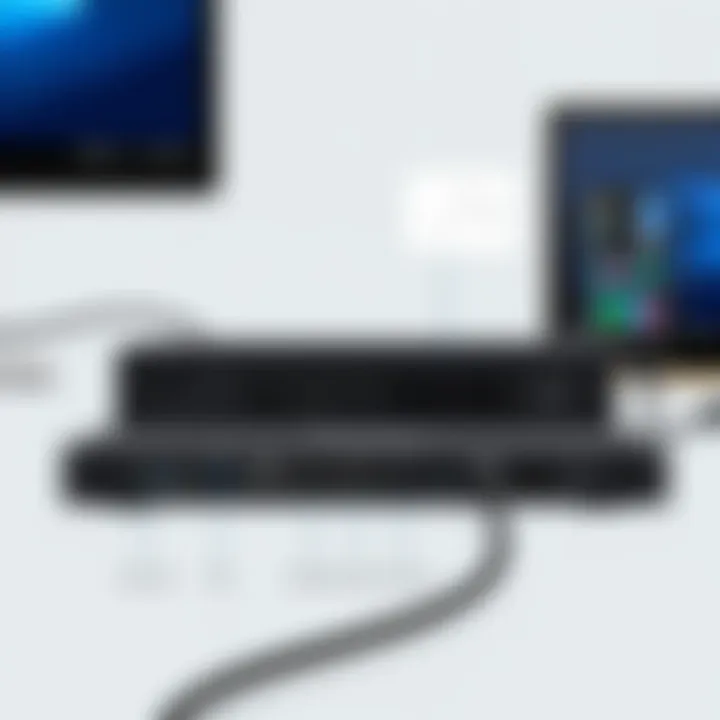
The Lenovo T580 Dock is a cutting-edge accessory designed to amplify the capabilities of the Lenovo T580 laptop. Its sleek and compact design houses multiple ports that make connecting devices a breeze. Think of it as a central hub that allows you to expand your workspace with ease, turning your ordinary laptop into a powerhouse workstation.
Key Features
- Versatile Connectivity: With a range of ports including USB-C, HDMI, and DisplayPort, users can connect multiple monitors and devices at once.
- Fast Data Transfer: Equipped with USB 3.1 ports, it allows high-speed data transfers, handy for transferring large files.
- Integrated Ethernet: Offers stable and fast networking options for those who prefer wired connections over Wi-Fi.
- Power Delivery: Charges your laptop while simultaneously connected to the dock, minimizing cable clutter.
- Audio Support: Includes audio jacks for headphones or speakers to enhance multimedia experiences.
Available Variants
There are several versions of the dock each tailored for different workflows and needs. Users can choose from variants that provide additional USB ports or video outputs, depending on their specific requirements. Knowing what suits your needs best can ensure a seamless experience.
Specifications Breakdown
Technical Specifications
- Dimensions: 4.88 x 10.79 x 1.14 inches
- Weight: Approximately 1.34 lbs
- Ports: 2 x HDMI, 2 x USB-A 3.1, 1 x USB-C, 1 x Ethernet, 1 x Audio
Performance Metrics
When tested in various environments, the Lenovo T580 Dock consistently performs well under pressure. It can handle multiple 4K displays with ease and has shown a reliable connection speed for data transfers even during peak loads.
Compatibility Information
The dock is fully compatible with the Lenovo T580 and several other Lenovo models. It's a true plug-and-play device, making it easy for users to get started right out of the box.
Comparative Analysis
Competing Products
When stacked against competitors like the Dell D6000 and the HP USB-C Dock G5, the T580 Dock holds its ground well.
Strengths and Weaknesses
- Strengths: Great design, reliable performance under load, and multiple connectivity options.
- Weaknesses: It might be pricier than some alternatives, especially if you’re looking for basic connectivity.
Price Comparison
In terms of pricing, the Lenovo T580 Dock typically hovers around $199, putting it on the higher end of the spectrum compared to similar docks from other brands. However, many users find the investment worthwhile for the quality and features provided.
Buying Guide
Target User Profiles
This dock is perfect for a range of users:
- Remote Workers: Those who spend hours on video calls or require multiple screens.
- Gamers: Who want to connect several peripherals for an enhanced experience.
- Creative Professionals: Needing additional ports to connect various devices and storage options.
Important Considerations
Before diving into a purchase, consider the following:
- Port Requirements: Make sure it has the necessary ports for your devices.
- Cost vs. Features: Weigh the benefits against the price tag to see if it suits your budget.
Insider Tips for Buyers
- Look for any ongoing discounts or bundles that may include additional accessories.
- Check user reviews to get a sense of real-world performance.
Maintenance and Upgrade Insights
Regular Maintenance Practices
Maintaining your dock is largely about keeping it clean and ensuring proper connections. Regularly check for firmware updates to enhance performance and stability.
Upgrade Paths and Options
While the T580 Dock’s ports are largely sufficient, you might want to consider future-proofing by staying informed about upcoming docking solutions that might offer better features.
Troubleshooting Common Issues
If you face connectivity issues, ensure all drivers are up-to-date and confirm that cables are securely connected. Simple resets or re-plugging devices often resolve minor hiccups.


"A well-connected workspace amplifies productivity, allowing you to focus on what truly matters."
By understanding the Lenovo T580 Dock's ins and outs, users can harness its full potential, turning it into more than just a docking station but rather a crucial component of their daily tech arsenal. To stay on top of the latest insights, considering tech forums like Reddit or tech blogs can be quite helpful.
Prelude to the Lenovo T580 Dock
The Lenovo T580 Dock stands out as a pivotal accessory designed specifically for augmenting the capabilities of the T580 laptop. This section emphasizes the necessity of understanding the Lenovo dock, as it intertwines with the overall efficiency and functionality of modern work setups. In an era where remote and hybrid work models are proliferating, the demand for seamless connectivity and improved productivity cannot be understated.
Overview of Docking Stations
Docking stations have evolved into essential tools for professionals and tech enthusiasts alike. They bridge the gap between portability and performance, allowing users to transform their laptops into fully-fledged workstations. At their core, docking stations facilitate the connection of multiple peripherals, ensuring that everything a user may need is at their fingertips without the hassle of repeated connections.
For instance, picture this: after a long day of meetings, you return home and simply drop your T580 into the dock, and voilà! Instantly, you have access to your second monitor, external hard drives, and even charging capabilities, all without fumbling with multiple cords. This suddenly makes the process of switching between workspaces smooth as silk.
Not to be overlooked are the various connector types and ports that docking stations typically offer. From USB-C ports to HDMI outputs, they broaden the potential for connectivity significantly. Understanding these intricate functionalities is crucial for users looking to maximize their workspace and ensure compatibility with various devices, which is a key point to consider when investing in a dock.
Importance of the Lenovo T580 Dock
The Lenovo T580 Dock is not just another accessory; it’s a game-changer. It is essential for users looking to enhance their productivity through expanded connectivity. By offering a wide range of ports, it allows professionals to connect multiple devices such as monitors, keyboards, and printers with ease. This level of connectivity simplifies workflow and minimizes stress associated with managing cables and devices separately.
- Enhanced Productivity: Utilizing the dock can significantly decrease the time it takes to set up workstations both at home and in the office. Just like having an ensemble ready before a stage performance, a dock ensures that everything is in place for a seamless transition.
- Power Management: The dock’s ability to deliver power to connected devices removes the concern of battery drainage, especially for users constantly on the go. This effective power delivery can be likened to having a reliable pit stop during a long road trip—fueling up means you can keep going without interruption.
- Improved Workflow Efficiency: Being able to connect to multiple displays can streamline multitasking. Picture a designer who needs to reference materials on one screen while working on another. The Lenovo T580 Dock makes this shift not only possible but hassle-free, promoting a better work-life balance for busy professionals.
In summary, understanding the Lenovo T580 Dock's features and its significance can make a marked difference in the daily routines of tech-savvy individuals. It combines convenience with versatility, laying the groundwork for maximizing the potential of the Lenovo T580 laptop and beyond. As we further explore its technical specifications and compatibility aspects, it'll become clear how this dock is indeed a critical tool in modern computing.
Technical Specifications of the Dock
Understanding the technical specifications of the Lenovo T580 Dock is crucial for maximizing its usability and efficacy. These specs reveal the dock’s capabilities, from connectivity options to power delivery, allowing users to tailor their workspace to specific needs. This section aims to dissect these elements, emphasizing their relevance and unique contributions to enhancing productivity.
Connector Types and Ports
USB-C Ports
The USB-C ports on the Lenovo T580 Dock stand out due to their versatility. Offering data transfer rates up to 10 gigabits per second, these ports are ideal for users needing swift file access and backup. They support a range of devices, making them a preferred choice in modern computing environments.
One significant advantage of USB-C ports is their ability to transmit power and data simultaneously. This means you can charge devices while transferring information. On the flip side, the confusion around cable compatibility and function often arises, slightly complicating user experience. However, their benefits certainly outweigh any minor drawbacks.
USB-A Ports
USB-A ports remain widely popular due to their familiarity and widespread adoption. These ports provide a reliable way to connect older peripherals, ensuring smooth integration into existing workflows. Users can easily plug in various devices like keyboards, mice, and external drives without any hassle.
The key characteristic of USB-A ports is their ability to deliver stable connections. Yet, with the rise of newer technologies, the speed of USB-A can sometimes lag behind that of USB-C. Nevertheless, for many users, the simplicity and reliability of USB-A ports make them invaluable.
HDMI Outputs
HDMI outputs on the Lenovo T580 Dock are essential for those looking to extend their displays or connect to projectors. Supporting resolutions up to 4K, these outputs are perfect for professionals who rely on high-definition visuals for presentations or graphic work.
The unique aspect of HDMI is its capability to handle both video and audio through a single cable, streamlining connections and reducing clutter on desks. However, the requirement for HDMI-compatible monitors might limit some users, especially those with older display technologies.
Ethernet
Ethernet connectivity is an often overlooked yet vital feature of the T580 Dock. It guarantees strong and stable internet connections, crucial in an era where online collaboration tools dominate work scenarios. Speed and reliability often trump wireless connections, especially in instances where latency can be detrimental to productivity.
The benefits of Ethernet extend beyond speed; it provides security and possibly access to internal networks that Wi-Fi may not allow. However, the static nature of wired connections can limit mobility compared to wireless options, which might be a consideration for users in dynamic environments.
Audio Jack
The audio jack on the Lenovo T580 Dock is an essential component for users who depend on external sound systems or headsets. It allows for easy connections to various audio devices, enabling rich sound experiences whether for conference calls or media consumption.
The primary advantage of having a dedicated audio jack is its plug-and-play functionality, which often works seamlessly with numerous audio devices. Despite its reliability, the rise of wireless audio solutions might render this feature less appealing to some, but for those who prefer a wired connection, it remains indispensable.
Power Delivery Features
Power delivery is a critical feature that sets the Lenovo T580 Dock apart from many others on the market. It can charge connected devices efficiently, allowing users to power their laptops and peripherals all from a single source. This capability not only eliminates the need for multiple power adapters but also keeps the workspace tidy.
This aspect of the dock is particularly beneficial for professionals who are constantly on the go. The power delivery feature ensures devices remain charged, providing peace of mind during critical tasks. However, potential users should be mindful of the wattage capabilities to ensure compatibility with their devices' power requirements.
Dimensions and Design
The dimensions of the Lenovo T580 Dock are designed with both functionality and aesthetics in mind. Compact and sleek, this dock easily fits into various work environments without taking up excessive desk space. Its design focuses on accessibility, ensuring ports are placed conveniently for easy access.
Moreover, the overall build quality reflects Lenovo's commitment to durability. While the size is advantageous for portability, users need to consider the weight of the dock alongside its accessories when looking for a travel-friendly solution. The thoughtful design ideally caters to both casual and professional users, making it an attractive choice for anyone seeking to expand their laptop's capabilities.
Compatibility with Other Devices
Understanding the compatibility of the Lenovo T580 Dock with other devices is essential for users looking to expand their setup without a hitch. This docking station is not merely a hub; it plays a pivotal role in how seamlessly users can integrate various peripherals and enhance their overall productivity. A well-designed dock should adapt like a chameleon, providing robust support to a range of devices to make life easier for tech enthusiasts, gamers, and professionals alike.
Supported Lenovo Models
The Lenovo T580 Dock is primarily designed to cater to the Lenovo ThinkPad series, particularly the T580. But what does this mean in practice? The good news is that it supports a variety of other Lenovo models. This dock works effectively with:
- Lenovo ThinkPad T480
- Lenovo ThinkPad T490
- Lenovo ThinkPad X1 Carbon (6th and 7th Gen)
- Lenovo ThinkPad P52 and P53
These devices can expand their connectivity options, taking advantage of the dock's various ports and features. This compatibility opens doors for users who may be considering an upgrade or those who frequently collaborate with colleagues using different Lenovo models. Simply plug in your ThinkPad, and you’re ready to roll.
Cross-Compatibility with Other Brands
In today's diverse tech landscape, users often encounter devices from various brands within their ecosystems. The T580 Dock, fortunately, doesn't shy away from this challenge. Users can connect devices from other manufacturers as well. While its primary focus is Lenovo models, it does offer a complement of ports that are fairly standard across devices:
- USB Ports: The USB-C and USB-A ports are compatible with a myriad of devices from brands like Dell, HP, and even Apple products, provided the right adapters or cables are used.
- HDMI Outputs: Many laptops and desktops from different manufacturers support HDMI, allowing for easy display connections.
- Ethernet Connectivity: For users relying on wired networks, the Ethernet port can connect to non-Lenovo devices without issue.
Nevertheless, there are a few points to consider. Not all features may function perfectly across different brands. Users may experience limitations, such as reduced power delivery to non-Lenovo laptops or incompatibility with certain display resolutions.
"The right dock can turn your laptop into a workstation of dreams; just ensure it fits your device collection like a glove."
For further insights into docking station compatibility, you might check out resources from Wikipedia, or delve into discussions on Reddit.
Utilizing the Lenovo T580 Dock
Understanding how to utilize the Lenovo T580 Dock effectively is crucial for maximizing its potential. As a hub of connectivity, this dock provides a myriad of benefits tailored for various user needs, whether you're a professional, gamer, or a DIY builder. The significance of this section lies in exploring practical aspects, best practices, and some considerations that come into play when making the most out of this docking station.
Setting Up the Dock
Initial Connection
Connecting the Lenovo T580 Dock to your laptop is the first step in creating a seamless workspace. To kick things off, the process requires simply plugging the dock into the USB-C port on the laptop, which is relatively straightforward, making it a popular choice for users looking for efficiency. This key characteristic of easy installation allows even those who aren’t particularly tech-savvy to dive right in without breaking a sweat.
What makes the Initial Connection stand out is its plug-and-play feature. Now, while some docks require intricate setups that might leave you scratching your head, Lenovo nails it here by ensuring users can get going with minimal fuss. However, it’s worth mentioning that errors can stem from using an unapproved USB-C cable. Thus, always using the official cable can save you a world of hassle.
Installing Drivers
Once tethered, the next phase involves installing necessary drivers, a step that ensures the dock functions optimally with your laptop. This aspect is of considerable importance because without proper drivers, users may experience dropout connections or subpar performance. The key feature of this step is straightforwardness; Lenovo typically includes a software disc or provides downloads through its official website.
This process stands out as beneficial because it opens up the full versatility of the dock. Users can access various ports that may otherwise remain dormant without the proper drivers. However, some users report hiccups in installation due to system incompatibilities with particular OS versions, so keep an eye out for that.
Connecting Peripheral Devices
The real magic happens when you start connecting peripheral devices to the Lenovo T580 Dock. From external monitors to keyboards, this dock supports a multitude of devices, transforming your laptop into a full-fledged workstation.
It's vital to ensure that you make use of ports smartly; for instance, connecting a dual monitor setup through HDMI outputs or utilizing USB ports for external drives can effectively enhance your productivity. This flexibility makes the Lenovo T580 Dock not just a convenience but a necessity in today's hybrid work environment.
In summary, by understanding the steps for setting up the Lenovo T580 Dock and how to effectively connect your devices, users can elevate their experience significantly. Not only does it promote efficiency, but it also fosters a well-organized, multi-functional workspace.
Performance Analysis
Performance analysis of the Lenovo T580 Dock is crucial for anyone who has plans to use this device alongside their Lenovo T580 laptop. Understanding the elements that dictate performance can impact the user experience significantly, whether it's for productivity tasks or data-heavy applications. This section will delve into data transfer speeds, display output quality, and stability with reliability, all of which are vital metrics for making informed decisions about the dock.
Data Transfer Speeds
When it comes to data transfer speeds, the Lenovo T580 Dock does not skimp on performance. With multiple USB-C ports, users can expect high-speed data transition that caters to both professionals and gamers alike. USB 3.1 technology—found within the dock—is designed to facilitate rapid data transfer, potentially reaching up to 10 Gbps.
Real-world testing often highlights that users can move large files like high-definition videos or extensive project files in a snap. This can be a game changer for creative professionals dealing with heavy file sizes.
A practical consideration for those who rely heavily on cloud services or external drives is to connect faster USB drives. Legacy USB-A ports in the dock also maintain decent transfer speeds, ensuring that older peripherals aren’t left in the dust. Performance in this area is where the Lenovo T580 Dock shines, turning what could be a sluggish transfer experience into a quick and seamless one.
Display Output Quality
Next, let's talk display quality. The Lenovo T580 Dock supports dual 4K displays, which means users can extend their workspace significantly. This is invaluable for multitasking modes, especially in work-from-home settings. The HDMI outputs offer great clarity and vibrancy, bringing a true-to-life feel to graphics and images.
The ability to run multiple high-resolution displays is not just a convenience; it's essential for those working in design, data analysis, or any field that benefits from expanded visual real estate. The dock ensures that the refresh rate remains stable, even with complex tasks, which also pleases gamers looking for smooth playability.
Users should also note that calibration adjustments on the monitors can contribute to enhanced viewing experiences, thus it's advisable to tweak settings to find the perfect combination that suits individual needs. The flexibility offered in output quality truly enhances the usability of the Lenovo T580 Dock.
Stability and Reliability
Finally, there’s stability and reliability. The Lenovo T580 Dock has a robust build quality that ensures it remains a trustworthy companion through daily use. Users have reported minimal connectivity interruptions, making it ideal for those long hours of meetings or project milestones.
Whether it’s consistently maintaining a connection to peripherals or providing stable power delivery, the dock manages these functions astutely. Temperature thresholds are well monitored, due to the design which prevents overheating—a notable point for high-performance scenarios where heat could be an issue.
In summary, choosing the Lenovo T580 Dock means opting for high standards in performance metrics, be it data transfer speeds, display output quality, or overall reliability. Such durable performance is what makes the dock a significant investment, especially for tech enthusiasts or professionals pursuing efficiency in their workflow.
User Experience and Feedback
Understanding the user experience with the Lenovo T580 Dock is pivotal for those considering this device. Feedback from real users often reveals the practical advantages and obstacles that might not be fully covered in technical specifications. The significance of evaluating user experiences is manifold. It provides potential buyers with insights on reliability, usability, and the overall value of the product in daily operations.
A positive user experience can turn a good product into a must-have accessory, especially in professional settings where efficiency is crucial. Users often talk about their hands-on encounters, detailing how the dock performed under various conditions, and these narratives can greatly aid others making purchasing decisions.
Common User Experiences
Common experiences shared by users of the Lenovo T580 Dock often highlight several key features. First and foremost, many users praise the simple plug-and-play setup. They report that connecting the dock to the Lenovo T580 is seamless, allowing for immediate access to all of the ports without a hassle. This is a huge plus when time is of the essence, like during busy workdays.
Moreover, the versatility of connection options takes center stage in user discussions. Here’s a glimpse of what users often mention:
- Multiple Display Outputs: Users frequently mention the ability to connect multiple monitors as a significant upgrade to their workstation setup. This capability allows for enhanced multitasking without breaking a sweat.
- Stable Internet Connection: Those relying on Ethernet often applaud the stability of the connection compared to Wi-Fi. Users highlight fewer interruptions during video calls or when transferring large files.
- Effective Power Delivery: The dock’s power delivery feature allows users to charge their laptop while using the dock seamlessly. This has been a lifesaver for professionals on long calls or demanding tasks.
In a nutshell, feedback gathered from various platforms, such as Reddit and forums focusing on tech, reveal users remarking on how the dock complements their Lenovo T580 experience.
Analyzing User Reviews
Diving deeper into user reviews showcases a dynamic perspective of the Lenovo T580 Dock. A mix of ratings reflects the satisfaction and frustrations that some have encountered. Overall, most reviews tilt positively, with users often noting specific aspects that are beneficial or, at times, lackluster.
For instance, while most reviews highlight performance—such as speed in data transfer and display quality—some users point out occasional hiccups with driver updates. It appears a few opt to install drivers manually instead of relying on automatic updates due to compatibility issues experienced with certain software versions.
Furthermore, users bring forward very insightful observations regarding:
- Build Quality and Design: Many reviews emphasize the robust construction of the dock. Users note that the weight of the dock offers stability, minimizing the risk of disconnections when plugging and unplugging devices.
- Customer Support Experiences: Some reviews include anecdotes about customer service, where users shed light on their ability to get assistance when needed. This aspect contributes significantly to user satisfaction.
Troubleshooting Common Issues
When it comes to utilizing the Lenovo T580 Dock, it’s natural to encounter a few hiccups along the way. Understanding how to troubleshoot common issues can make the difference between a seamless workday and one filled with frustration. This section focuses on why recognizing and resolving these problems is vital for maintaining productivity. The Lenovo T580 Dock enhances the capabilities of your laptop, but if it’s not functioning correctly, it can become an anchor rather than a sail.
Properly addressing docking issues ensures that professionals, gamers, or any tech enthusiasts can maximize their setup's full potential. A few minutes spent on troubleshooting can save hours of downtime, keep workflows efficient, and maintain the high-tech environment that many users aim for in their working spaces.
Identifying Connection Problems
The first step in troubleshooting is pinpointing where the connection issues are stemming from. Users might face problems like the dock not recognizing the laptop, peripherals failing to connect, or intermittent disconnections. Identifying these connection hiccups can often start with a simple checklist:
- Check Connections: Ensure that the dock is securely connected to your laptop and to power. Sometimes, a loose cable is all that it takes for things to go haywire.
- Inspect Cables and Ports: Worn-out cables or malfunctioning ports can lead to connection troubles. Look for visible signs of damage or dirt that could affect connectivity.
- LED Indicator Lights: Many docks have indicators that give a visual cue of their status. A steady green light often indicates a good connection, while a blinking red might signal an issue.
If, after these checks, you’re still facing problems, it might be worth experimenting with different ports on the dock. The T580 Dock varies in port functionality, and certain peripherals may work better on specific ports. This trial-and-error method can sometimes reveal underlying issues that aren't immediately obvious.
Resolving Driver Issues
Next on the docket is dealing with driver issues, which can sometimes feel like navigating a maze. Most connectivity problems can often be traced back to outdated or corrupted drivers. Here’s how to resolve driver-related headaches:
- Update Drivers Regularly: Ensure that you routinely check for driver updates through Lenovo’s website or via the built-in Windows Update tool. Manufacturers often release updates that improve performance and compatibility.
- Driver Reinstallation: In some cases, completely uninstalling the dock's drivers and then reinstalling them can rectify ongoing problems. You can do this through the Device Manager in Windows:
- Look for Known Issues: Sometimes, users post about specific driver problems on forums like Reddit or on tech support sites. Researching if others have faced similar issues can provide insights or solutions you may not have considered.
- Right-click on "This PC"
- Select "Manage"
- Go to "Device Manager"
- Locate the docking station in the list, right-click, and uninstall the driver.
- Reboot your system, and Windows should automatically install a fresh, updated driver.
Resolving these common issues related to connections and drivers allows users to pivot back to productivity with minimal friction. Staying proactive in troubleshooting not only uplifts daily workflow but also enhances the overall user experience with the Lenovo T580 Dock.
Comparative Analysis
In today's tech-savvy world, the need for efficient and effective accessories cannot be overstated. The Lenovo T580 Dock, while being an exceptional product on its own, also finds itself in a broader context of numerous docking stations available in the market. This comparative analysis shines a spotlight on the Lenovo T580 Dock's standing among its peers, helping potential buyers make informed decisions. Analyzing the comparative landscape can yield insights into performance, connectivity, and price — key elements any tech enthusiast considers before pulling the trigger on a purchase.
Comparison with Other Docking Stations
When scrutinizing the competition, one must consider various docking stations, which may include products from brands like Dell, HP, and Plugable. Each docking station has its strengths, and comparisons reveal nuanced differences that can impact user experience.
- Dell WD19 Dock: Known for its strong build quality and multiple USB-C ports, it excels in providing power delivery. However, users often report issues related to driver installations that can dampen the experience.
- HP Thunderbolt Dock G2: While it offers excellent monitor support and can drive multiple displays, some users find cost prohibitive. Comparatively, the Lenovo T580 Dock presents itself as a more budget-friendly option without skimping on essential features.
- Plugable USB 3.0 Universal Laptop Docking Station: This dock is fantastic for non-Thunderbolt connections and provides a versatile option for various brands. Nevertheless, it often does not support multiple 4K displays as seamlessly as the Lenovo counterpart.
Ultimately, the analysis shows that while other docks may present unique advantages, the Lenovo T580 Dock strikes a balance between price, functionality, and performance, making it a consideration for many.
Cost vs. Value Assessment
Understanding the cost versus value of the Lenovo T580 Dock is vital. With prices fluctuating based on features and functionality, one often wonders, is this dock worth the investment?
- Pricing Context: The Lenovo T580 Dock generally sits in a competitive price bracket considering what it offers. Its compatibility with the T580 laptop and similar devices from Lenovo makes it a tailored choice.
- Feature Set: Factors like power delivery, multiple display support, and quality of construction elevate its value proposition. Users looking for connectivity without compromise find this dock fitting their needs perfectly.
- Longevity and Usability: Investing in a solid docking station like the Lenovo T580 can yield long-term benefits, enhancing productivity in daily tasks, be it for word processing, gaming, or video editing.
Considering these points, the Lenovo T580 Dock delivers substantial value for its cost, making it an attractive option, especially for professionals who demand reliable performance.
End
The conclusion serves as a vital touchpoint, synthesizing all the information presented throughout the article. It highlights the Lenovo T580 Dock as not just an accessory, but rather an essential instrument for users who rely on their Lenovo T580 laptops to enhance productivity, whether in an office setting, during remote work, or while managing personal projects. In today’s fast-paced tech environment, the ability to connect multiple devices and utilize various functionalities without fuss cannot be overstated.
Summarizing the Key Features
In revisiting the standout features of the Lenovo T580 Dock, several key aspects emerge:
- Diverse Port Options: With a range of USB-C, USB-A, HDMI, and Ethernet ports, it caters to a multitude of peripherals, offering extensive connectivity.
- Power Delivery: It ensures that devices stay charged, reducing the clutter of multiple chargers and allowing for seamless work sessions.
- Compact Design: Its size and aesthetics fit well in both home and professional environments, ensuring it’s not just functional but visually appealing.
These elements are indicative of the thoughtfulness in design that Lenovo has put into this dock. Each feature supports the overall goal of enhancing user experience and maintaining workflow efficiency.
Final Thoughts on the Lenovo T580 Dock
Looking ahead, the Lenovo T580 Dock stands out as a prime solution for anyone looking to elevate their workstation. Its versatile compatibility with various devices means that users are not just limited to Lenovo products; it effectively bridges gaps between brands, fostering broader usability.
Moreover, the dock’s performance reflects stability and reliability, critical factors that modern users prioritize. Whether it’s for gaming setups, video editing tasks, or conducting business presentations, the convenience offered by this docking station saves users time and frustration. Investing in the Lenovo T580 Dock is equated to investing in productivity and efficiency—two corners of modern-day work environments that cannot be overlooked.
Every tech enthusiast, gamer, and DIY builder should consider how this docking station can support and amplify their electronic ambitions. So, for those on the lookout for a reliable docking solution, the Lenovo T580 Dock promises to deliver on its promises, simplifying and enriching your technological endeavors.